

Delivered on time.
SFエクスプレス追跡
統合された
Automatic tracking software built for your carrier Get a free demo
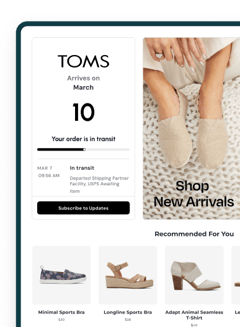
試す: SF6047942397096
*AfterShip provides package tracking services only. For inquiries about order details, please contact your retailer.
高度な機能
SF Expressの荷物を追跡する方法
SF Expressの荷物を見つけたいが、追跡方法がわからない場合は、こちらで簡単に追跡する方法をご紹介します。
AfterShip追跡ページを利用してSF Expressの荷物を追跡する
AfterShipの荷物追跡システムは、SF Expressの荷物を簡単に追跡できる便利な方法を提供します。以下の手順をご確認ください:
- SF Expressから追跡番号を取得します。
- AfterShip追跡ページにアクセスします。
- 追跡ページの指定されたフィールドに追跡番号を入力します。
- 追跡番号を入力後、入力フィールドの横にある**「追跡」**ボタンをクリックします。
数秒以内に、AfterShipがSF Expressの荷物の最新の追跡情報を取得します。
公式ウェブサイトを利用してSF Expressの荷物を追跡する
SF Expressの荷物を追跡するには、SF公式追跡ページにアクセスする方法もあります。
- 公式SF ExpressのTrack & Traceページにアクセスしてください。
- 指定されたエリアに追跡番号を入力してください。一度に最大20件の運送状を追跡することができます。追跡番号はカンマ、スペース、またはエンターで区切ってください。
- 横にある「検索」ボタンをクリックして処理を進めてください。
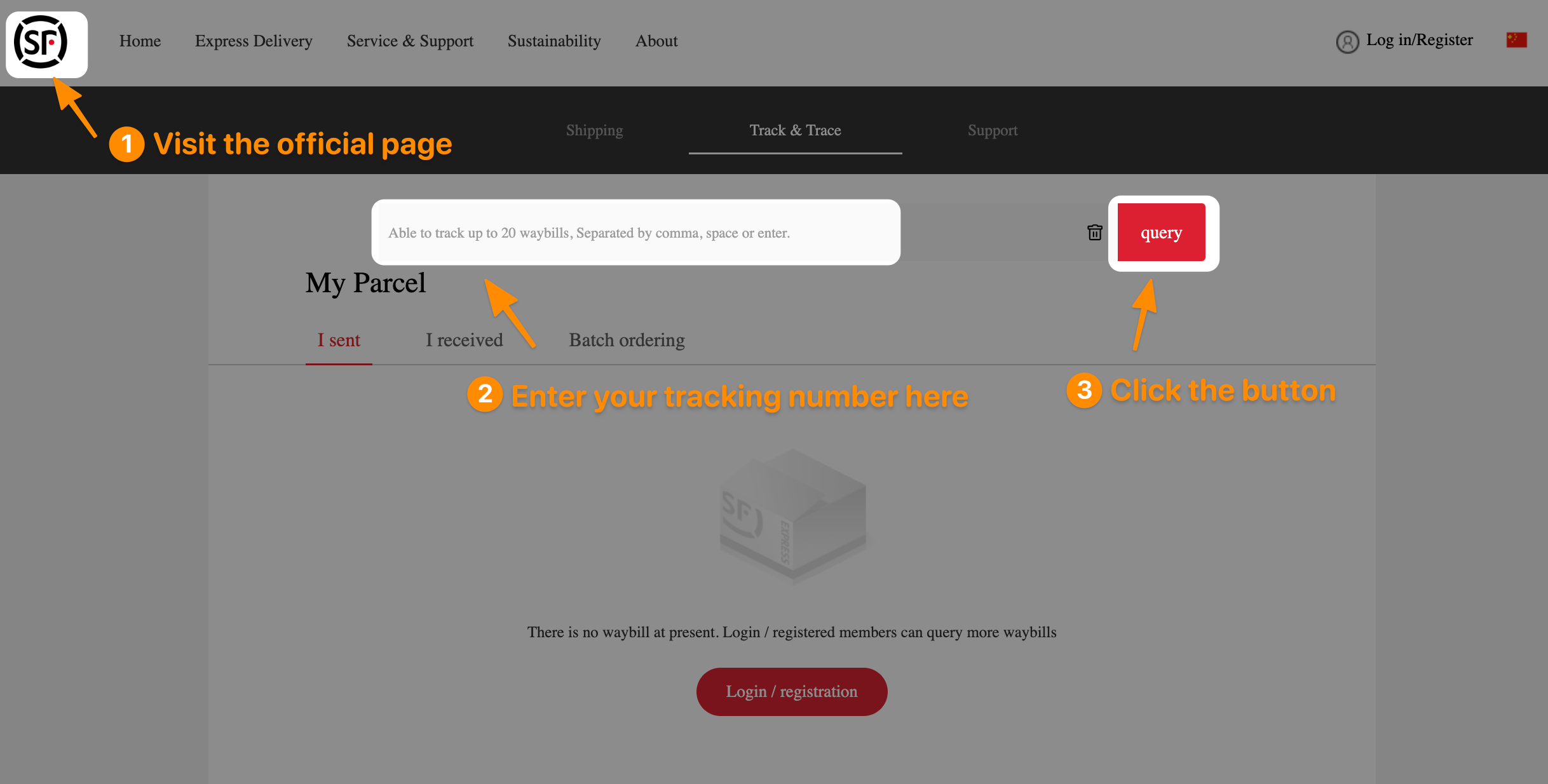
これで、配送の進捗状況や推定配達日を簡単に確認できます。
SF Expressについて
SF Expressは、中国を拠点とする主要な宅配便および物流会社で、国内外の速達配送、貨物輸送、倉庫管理、サプライチェーン管理、そしてeコマースソリューションを提供しています。同社は1993年に設立され、50以上の国と地域をカバーする広範な運営ネットワークへと拡大しました。統合された物流ソリューションと顧客志向のサービスで知られています。
SF Express の顧客レビュー
4.3 1,343 ratings
5
4
3
2
1
よくある質問
SF Expressの配達に要する時間はどのくらいですか?
標準速達サービスは、3〜5営業日以内の迅速な配送を保証するオプションを提供します。SF Expressは、米国本土48州で便利な集荷サービスを提供し、全米50州への荷物配送を行っています。
SFエクスプレスは世界各地への配送に対応していますか?
はい、SF International Shippingサービスは、世界中の越境EC事業者、小売業者、そして消費者をサポートします。
AfterShipで購入後の体験を強化









SF Expressとマルチキャリア追跡APIを統合
出荷追跡をシステムまたは Web サイトに簡単に統合して、シームレスな追跡エクスペリエンスを実現します。 AfterShip の追跡 API を使用すると、開発リソースを拡張することなく、複数のタッチポイントにわたる出荷の可視性を提供できます。- グローバル対応範囲: 1,100 以上の通信事業者との統合および 52 以上の言語
- 精度: 正規化されたデータと標準化された 7 つのメインステータスと 33 のサブステータス
- データの整合性: AI は新しい追跡番号パターンの認識を支援します
- 稼働時間と信頼性: 99.99% 以上の稼働時間、ISO 27001、SOC2、および GDPR 準拠

優れたサービスが顧客から認められている








)
)
)
)
)
)
)
)
)
)
)
)
)
)
)